快速开始
从购买到服务器受到保护:兑换密钥、下载、安装、检查连接并浏览面板。
此页面尚未翻译成你的语言:当前显示英文版本。
This is the whole path, with what you will see on each screen. If you already have your key, start at step 2.
- 1
Buy your plan
At oxbservices.com/pricing you choose the plan, sign in with Discord, fill in your billing details and pay. The key arrives by email and stays saved in your panel, in My keys.
- 2
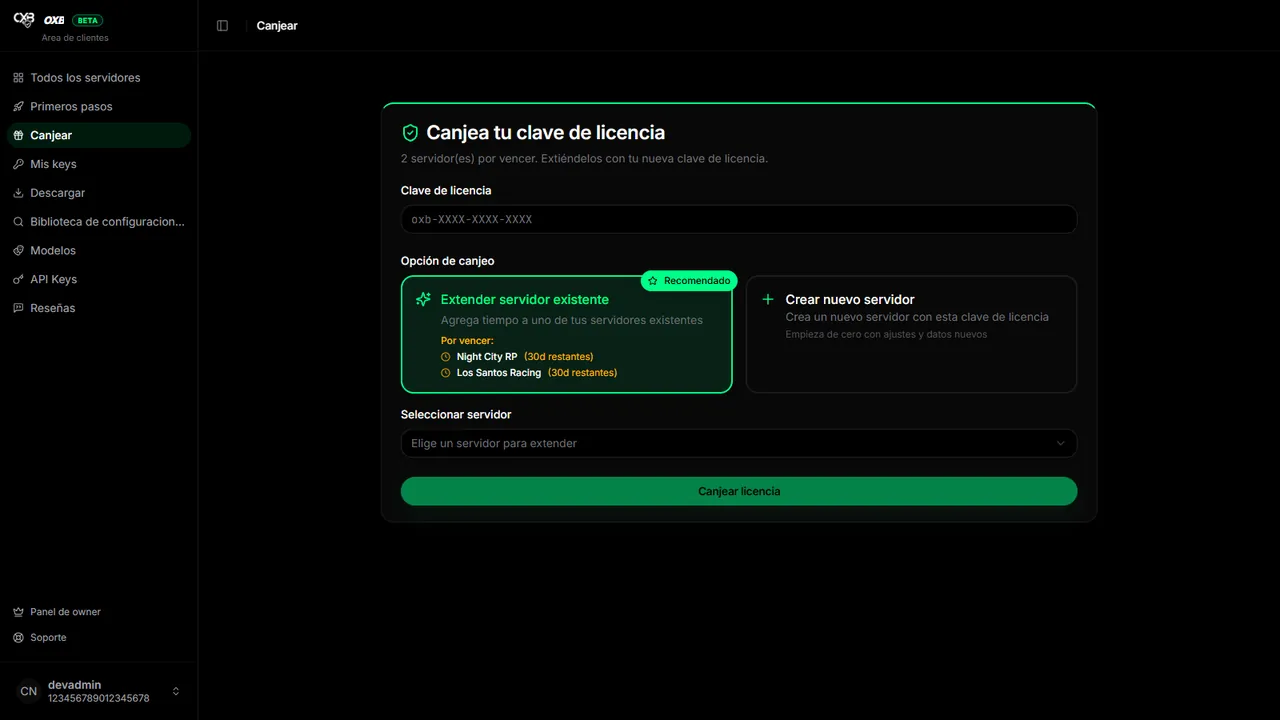
Redeem the key
In the panel open Redeem, paste the key (or press Redeem next to it in My keys) and choose whether it creates a new server or extends one you already have. The time of the plan starts counting at that moment.
- 3
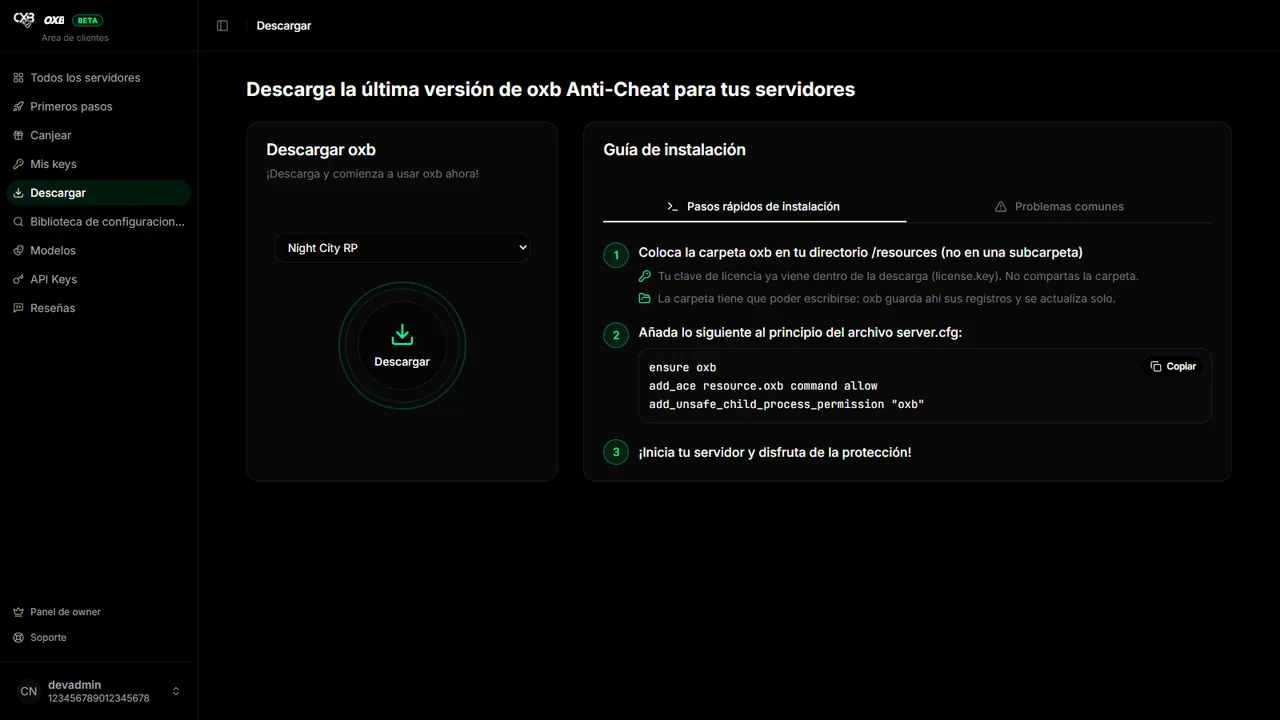
Download the resource
In Download pick the server and press the button. The zip already contains your license (
license.key): every server needs its own copy and you must not share the folder. - 4
Install it on your server
Unzip into
resources/oxb, add three lines toserver.cfgand restart. The details are in Installation. - 5
Check the connection
When the server starts it reports to the panel. In All servers it must switch to Online in less than a minute.
Take the tutorial of the panel#
Inside the panel, Getting started (in the side menu) launches a tutorial that frames every button and explains it, first outside your server and then inside. It lasts about five minutes and you can leave with ESC whenever you want.
最后更新:2026年11月11日