配置库
导入其他服务器验证过的配置并分享你的配置:搜索、预览、导入、设为公开或私有。
此页面尚未翻译成你的语言:当前显示英文版本。
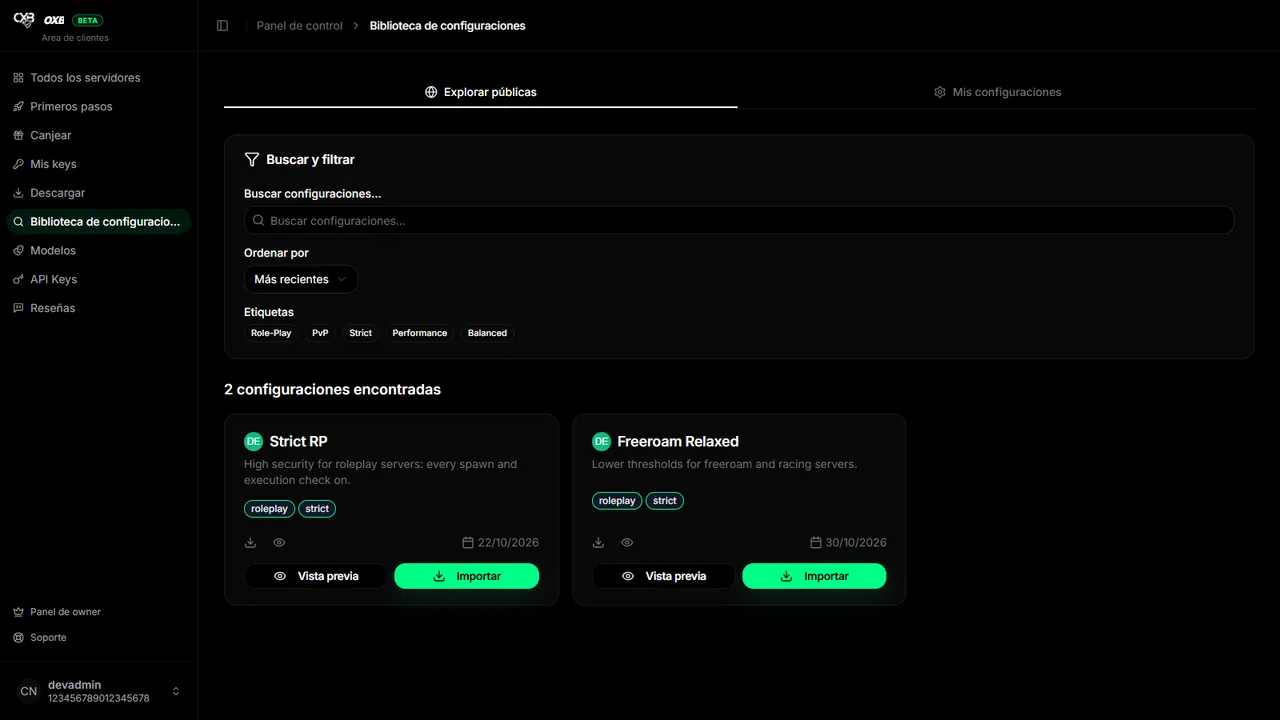
Import a configuration#
- 1
Search
In Configuration library → Browse public search by name, filter by tags and sort by newest, most popular or name.
- 2
Preview
Open Preview to see exactly which values it changes.
- 3
Copy the ID
Press Import (or Copy share ID).
- 4
Import it in your server
In Server → Configuration → Import, paste the ID. Check the result and Save.
Share yours#
- In Configuration → Share you set a name, a description and up to 5 tags.
- Mark it public to appear in the library, or leave it private and share only the ID.
- From My configurations you can edit the details, switch between public and private, copy the ID or delete it.
最后更新:2026年11月11日