Configuration library
Import configurations tested by other servers and share yours: search, preview, import, make public or private.
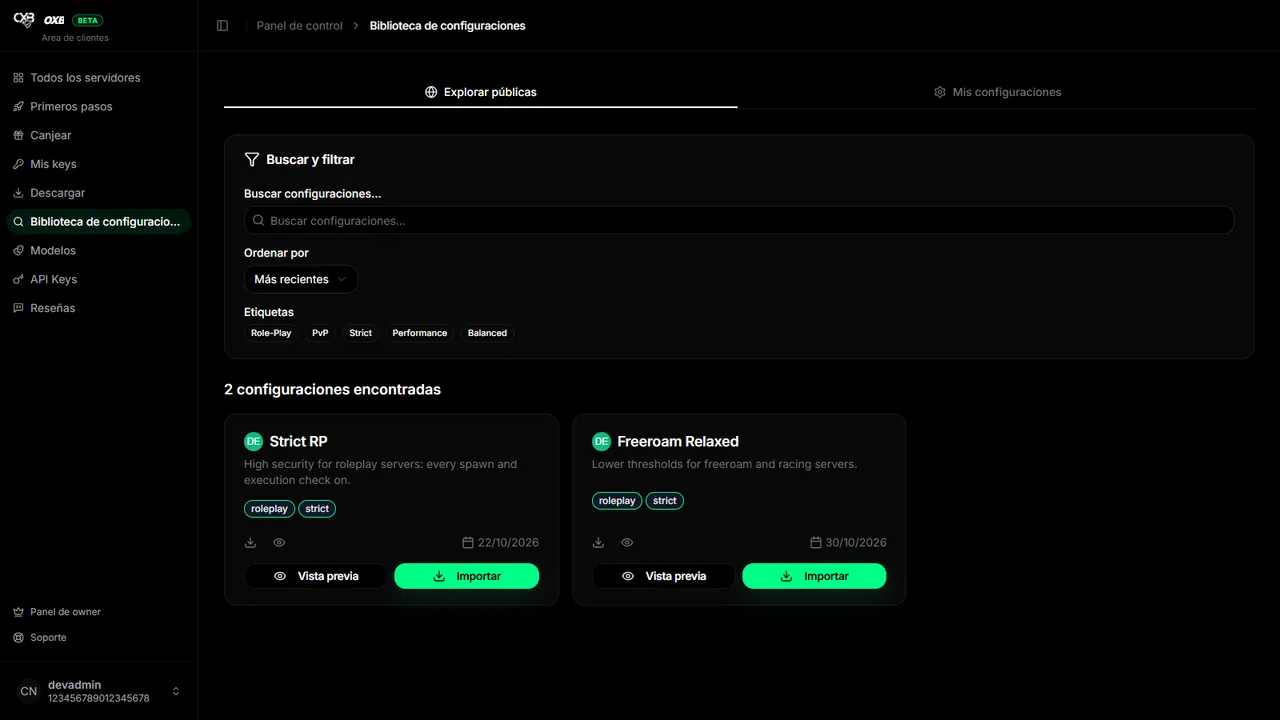
Import a configuration#
- 1
Search
In Configuration library → Browse public search by name, filter by tags and sort by newest, most popular or name.
- 2
Preview
Open Preview to see exactly which values it changes.
- 3
Copy the ID
Press Import (or Copy share ID).
- 4
Import it in your server
In Server → Configuration → Import, paste the ID. Check the result and Save.
Share yours#
- In Configuration → Share you set a name, a description and up to 5 tags.
- Mark it public to appear in the library, or leave it private and share only the ID.
- From My configurations you can edit the details, switch between public and private, copy the ID or delete it.
Last updated: November 11, 2026