Tour pelo painel
Todas as seções do painel do oxb: servidores, resgatar, minhas keys, download, biblioteca de configurações, modelos, chaves de API e avaliações.
Esta página ainda não está traduzida para o seu idioma: a versão em inglês é exibida.
The menu on the left has the general sections (the same for all your accounts) and, when you enter a server, it changes to show the sections of that server.
| Section | What it is for |
|---|---|
| All servers | Your home: state, players and license days of every server you have or help to manage. |
| Getting started | Launches the interactive tutorial that explains every button of the panel. |
| Redeem | Turns a license key into a new server or extends an existing one. |
| My keys | The keys you bought on the website. Redeem, copy or gift each one. |
| Download | Downloads oxb for your server, with the installation guide. |
| Configuration library | Configurations shared by the community, ready to import. |
| Models | The library of player and vehicle models that oxb knows. |
| API Keys | Keys so your tools can talk to oxb. One per server. |
| Reviews | What other customers say and the form to leave yours. |
My keys#
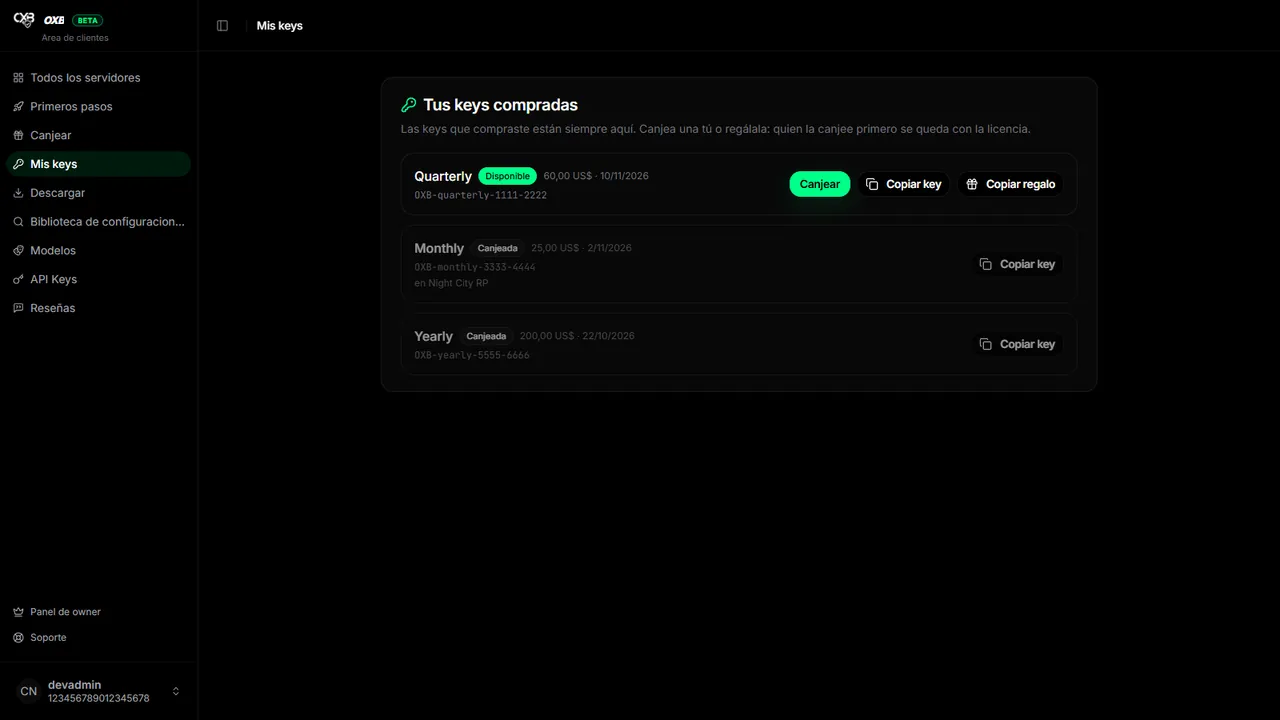
- Redeem opens the redeem screen with the key already filled in.
- Copy key copies the key; Copy gift copies a ready message to send to a friend.
- A key shows as Redeemed once it was used, whether it created a server or renewed one.
- Refunded keys do not appear.
Reviews#
If you have at least one valid license (not expired or banned) and your account is not banned from the panel, you can leave a review. It appears in Community voice on the website, with your Discord name and avatar. If your license expires, your review stops showing until you renew.
Configuration library#
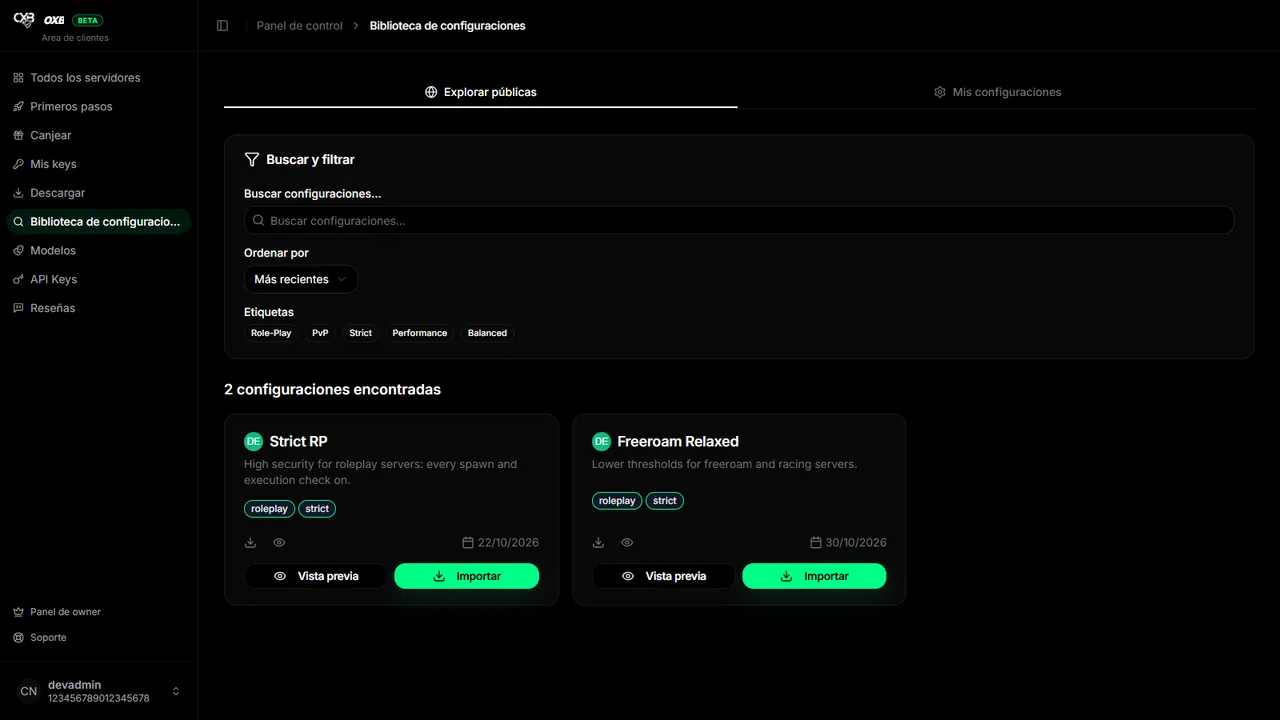
Search by name or tag, open a configuration to see what it changes and use its share ID on the Configuration screen of your server. You can also share yours. Details in Configuration library.
Última atualização: 11 de novembro de 2026