Áudio ao vivo
Ouça a voz de um jogador pelo painel usando o Mumble do FiveM: requisitos, ajustes de voz e o significado de cada erro.
Esta página ainda não está traduzida para o seu idioma: a versão em inglês é exibida.
From the card of a player (or from Multistream) the Listen button opens that player's voice live, without you joining the server. It is useful to check insults, voice advantages or arguments before punishing.
How it works#
- 1
The anticheat reports the voice address
When a player joins, oxb sends the panel the public IP and the game port of your server.
- 2
The panel asks for a ticket
When you press Listen, the panel creates a short-lived voice ticket, only for that player and that server. Only the owner and the administrators of the server can ask for it.
- 3
The panel connects to the Mumble of the server
FiveM includes a Mumble server on the game port. The panel joins as one more client and plays the audio of the chosen player.
Voice settings#
They are in Configuration → Settings → Voice:
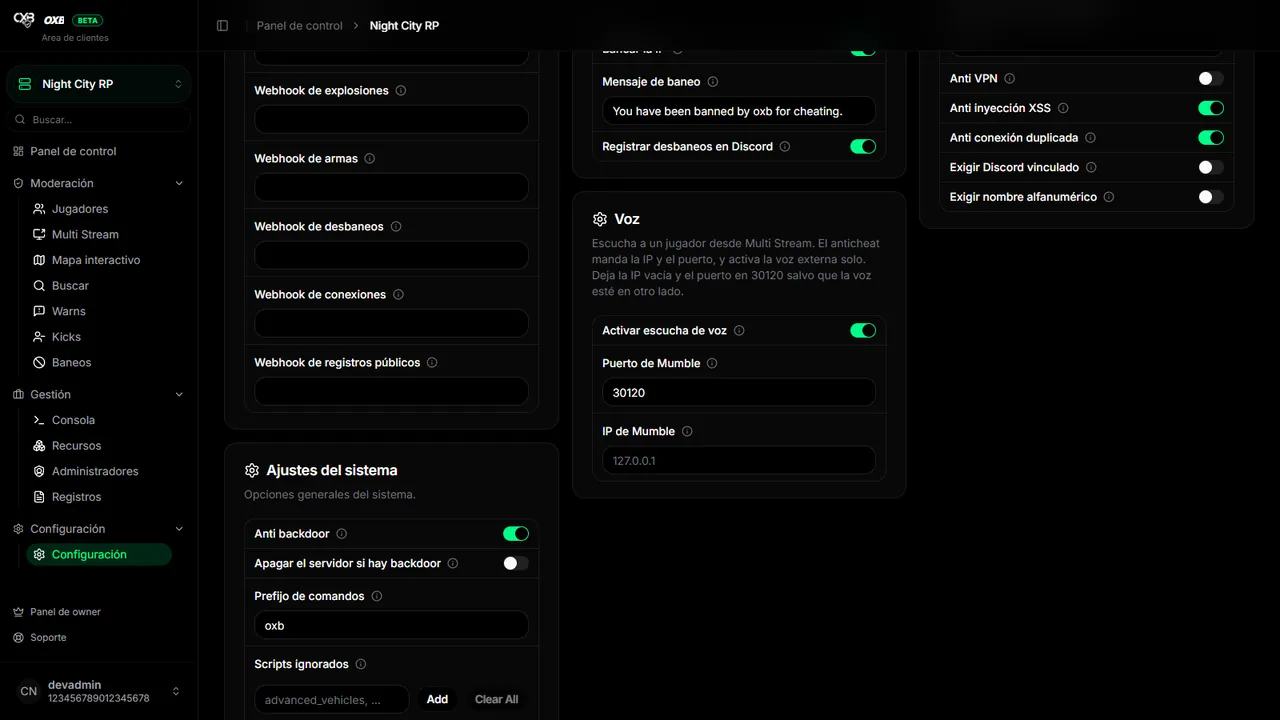
| Setting | Default | What to do |
|---|---|---|
MumbleEnabled | On | Allows listening from the panel. If you turn it off, the panel stops connecting to the Mumble of your server. |
MumblePort | 30120 | Leave it on the game port. The anticheat sends the real port; change it only if voice is on another port. |
MumbleHost | (empty) | Leave it empty: the panel uses the public IP that oxb reports. Fill it only if voice runs on another machine. |
Common errors#
| Message in the panel | Cause and solution |
|---|---|
| Voice listening is turned off | MumbleEnabled is off. Turn it on in Settings → Voice. |
| This server has not sent an address yet | Nobody has joined since the last start. Let a player join and try again. |
| The voice connection failed | The game port is not reachable from outside over TCP and UDP. Check the firewall and the rules of the host. |
| Nothing is listening on that port | Use the game port as MumblePort and check that the server is online. |
| Your host is not compatible with this feature | The port answers but not as a Mumble server, or it cuts the connection on entry. Some managed hosts block it; no setting fixes it. |
| The voice server rejected the connection | The Mumble of the server did not accept the client. Try again; if it persists, check the voice configuration of the server. |
| The Mumble host name could not be resolved | The MumbleHost you wrote does not exist or does not resolve. Leave it empty or fix it. |
| The panel has no route to that address | The IP of MumbleHost is not reachable from the internet. |
| The voice connection was lost | The session was cut. Press Listen again. |
Última atualização: 11 de novembro de 2026